






Dickson Support Database
How to Find D1 Logger Mac Address
If a logger is already communicating with your DicksonOne.com account you can find the MAC address on the loggers Network Settings page.
- You navigate to the page by opening the main graph page for the logger, tap on Settings, above the graph and tap on the Network tab.


If the logger is not registered and communicating on DicksonOne
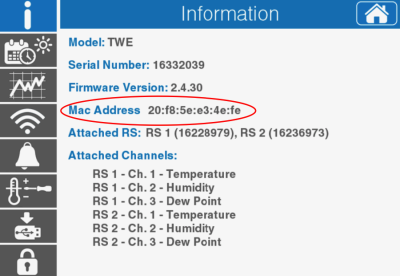
TWE/TWP
- If the logger is a TWP you will find the MAC address on the logger via the Settings / Information screen.

For DWE/DWE2
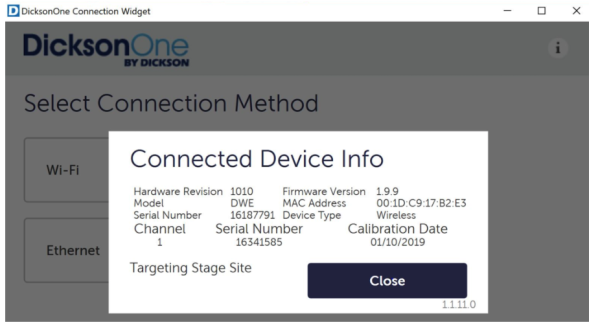
- You can also find the DWE logger MAC address by connecting the logger to a PC running the network connection appclick here to download, open the app, click on the “i” icon in the upper right to view logger information including the MAC address.

For Employees Only
- If the logger is a DWE you can access account 9180 via D1 Admin and search for the logger serial number. Open the Settings / Network page to view the MAC. NOTE: Older loggers may not be included on this account.